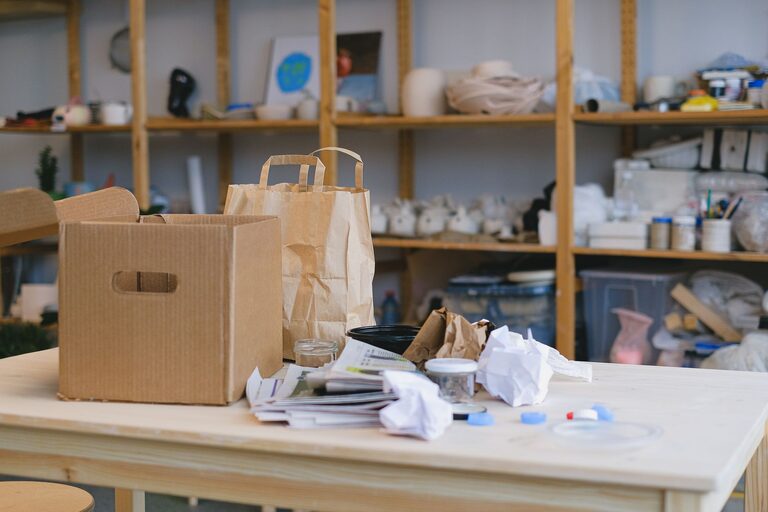
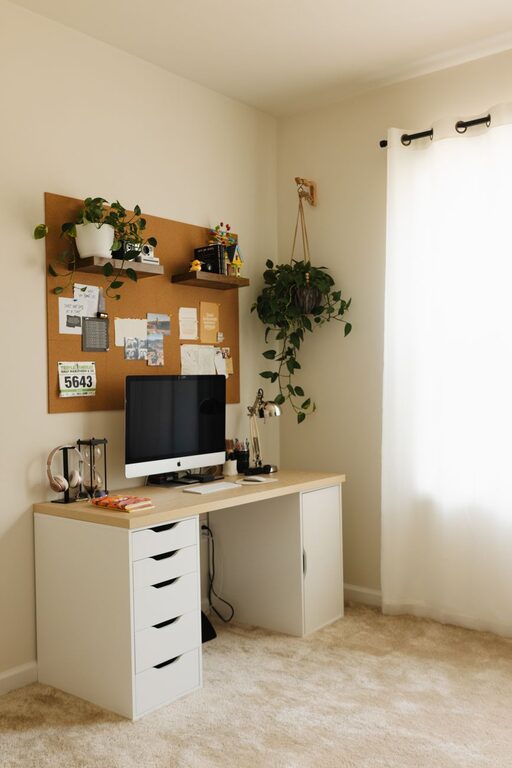
A workspace does not need a complete makeover to feel better. In just ten minutes, you can clear visual clutter, improve your setup, and create a more comfortable place to work. The key is to focus on small changes that make an immediate difference.
This quick refresh works for a home office, a shared desk, a study area, or any spot where you spend time reading, planning, or using a computer. You do not need special tools or expensive accessories—just a timer and a simple plan.
Start with a ten-minute reset
Before you begin, set a timer for ten minutes. A time limit keeps the task manageable and helps you avoid getting distracted by larger projects.
Gather a few basic items:
– A trash or recycling bag
– A small box or basket for items that belong elsewhere
– A cloth or paper towel
– A container for loose small items
– A notebook or sticky note for reminders
The goal is not to create a perfect workspace. Instead, aim to make it cleaner, calmer, and easier to use.
Minute 1: Remove obvious clutter
Begin by scanning the entire workspace. Pick up anything that is clearly trash, recycling, or no longer useful.
Look for:
– Empty cups or bottles
– Old receipts
– Used tissues
– Food wrappers
– Dried-out pens
– Unwanted notes
– Packaging or papers you no longer need
Do not stop to read old documents or decide where every item should go. If something belongs in another room, place it in the basket or box. You can put those items away later.
This first step often creates the biggest visual improvement because it removes the things that make a workspace feel unfinished.
Minutes 2–3: Clear the main work surface
Next, focus on the area directly in front of you. This is the space you use most, so it should support your current tasks.
Keep only the items you use regularly, such as:
– Your computer or monitor
– Keyboard and mouse
– A notebook
– One or two pens
– A water bottle
– A lamp, if needed
Move extra supplies, books, cables, and personal items to a drawer, shelf, or nearby storage area. If you do not have storage, group similar items together neatly at the edge of the desk.
A clear central area makes it easier to write, read, or use your computer. It also reduces the temptation to shift objects around whenever you begin a task.
Minutes 4–5: Group and contain small items
Small objects can quickly make a workspace look messy. Cables, clips, chargers, sticky notes, and pens are useful, but they become distracting when they are scattered.
Create simple groups:
– Writing tools in one container
– Cables and chargers together
– Notes and paper in one stack
– Personal items in one designated spot
– Technology accessories in a drawer or pouch
You do not need a professional desk organizer. A mug can hold pens, a small box can store cables, and a folder can keep loose papers together.
Try to give frequently used items a “home.” When everything has a designated place, cleanup takes less time in the future.
A quick rule for loose papers
Separate papers into three groups:
- Act on soon
- Keep for reference
- Recycle or discard
Place the first group where you will see it, such as in a small tray or notebook. Store reference papers out of the way. Avoid creating a large “deal with later” pile, since it can become another source of clutter.
Minutes 6–7: Wipe and refresh the surface
Once the surface is mostly clear, wipe it down. Clean around your keyboard, mouse, monitor stand, lamp, and frequently touched areas.
Use a suitable cloth and cleaning method for each item. For electronic devices, follow the manufacturer’s care instructions and avoid applying liquid directly to the device.
Also check a few often-overlooked spots:
– The area beneath the keyboard
– The edge of the desk
– The base of the monitor
– The arms of your chair
– Nearby shelves
– The floor around your chair
A quick wipe removes dust and makes the workspace feel noticeably fresher. If you have a window nearby, opening it briefly can also make the area feel brighter and more comfortable, depending on the weather and your surroundings.
Minutes 8–9: Improve comfort and positioning
Now make a few practical adjustments. Small changes to the position of your equipment can make the workspace easier to use.
Check the following:
– Is the monitor centered in front of you?
– Is the screen at a comfortable height?
– Are your keyboard and mouse close enough to avoid reaching?
– Is your chair positioned so your feet can rest comfortably?
– Is the main light source bright enough?
– Are frequently used items within easy reach?
You do not need to redesign the entire setup. Move one or two items that regularly cause inconvenience. For example, place your notebook beside the keyboard instead of behind the monitor, or move a lamp so it lights your work without creating glare.
If you work near a window, adjust the screen or chair to reduce reflections. A comfortable position can help you stay focused and avoid repeatedly shifting around during the day.
Minute 10: Add one helpful finishing touch
Use the final minute to add something that makes the workspace feel inviting or useful. Choose only one finishing touch so the area does not become crowded again.
Ideas include:
– Placing a fresh glass or bottle of water nearby
– Adding a small plant
– Setting out a favorite notebook
– Displaying one meaningful photo
– Writing your top task on a sticky note
– Preparing the materials for your next activity
– Adjusting the lighting
– Playing quiet background music, if appropriate
The best finishing touch is often a clear next step. Write down the one task you want to begin with, then leave the necessary materials ready. This reduces the effort required to get started.
Keep the refresh going
A ten-minute reset is most useful when it becomes easy to repeat. At the end of each work session, spend two minutes returning items to their places. Put cups in the kitchen, recycle unwanted paper, and group loose objects before leaving the desk.
You can also use a short weekly refresh to handle tasks that do not belong in a daily routine, such as:
– Sorting a drawer
– Organizing digital files
– Checking office supplies
– Dusting shelves
– Reviewing old notes
– Managing unused cables
– Cleaning the area under the desk
Avoid trying to organize everything at once. Small, regular resets are usually easier to maintain than occasional deep cleanups.
Make the routine your own
Every workspace has different needs. Someone who works with paper may need trays and folders, while someone who works mostly online may benefit from a clear charging area and a tidy monitor setup.
Pay attention to what creates friction during your day. If you often search for pens, create a visible pen holder. If papers pile up, add one labeled tray. If cables become tangled, use a pouch or simple ties. The best organization system is one that matches your habits.
A ten-minute refresh will not solve every workspace problem, but it can create a clean starting point. By removing obvious clutter, grouping useful items, improving comfort, and preparing for your next task, you can make your work area feel more manageable almost immediately.