
Working from home offers flexibility, but it can also make concentration more difficult. Household tasks, notifications, family members, and the temptation to check personal messages can quickly interrupt your workday.
The good news is that better focus does not require a perfect home office or a complicated productivity system. Small changes to your environment, schedule, and daily habits can make it easier to stay present and complete important work.
Create a Workspace That Supports Focus
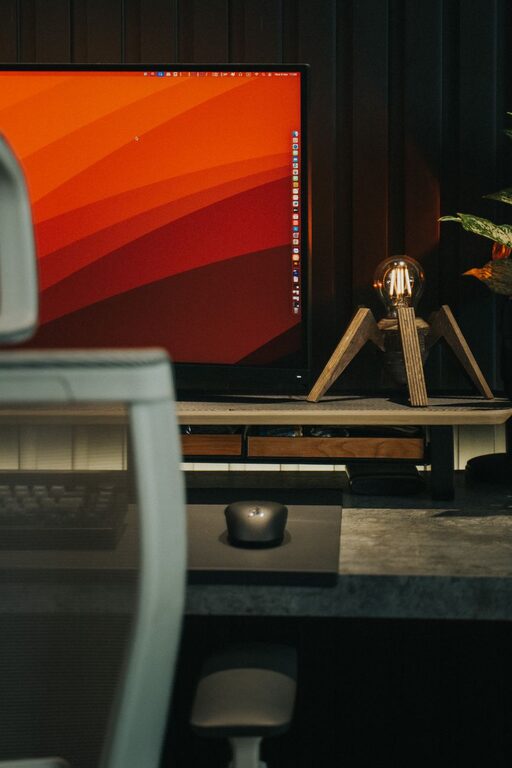
Your surroundings can influence how easily you concentrate. A dedicated workspace helps create a clear boundary between work time and personal time, even if you do not have a separate office.
Choose a space with:
– A comfortable chair and a stable work surface
– Enough light to read your screen and notes comfortably
– Easy access to the tools you use regularly
– Fewer visible distractions
– A reliable internet connection when possible
If you work in a shared room, use simple signals to show when you should not be interrupted. This might include wearing headphones, closing a door, or placing a small note near your workspace.
Keep your desk reasonably tidy, but do not aim for perfection. Remove items that are unrelated to your current task and place frequently used supplies within reach. A simple workspace makes it easier to begin work without spending time searching for what you need.
Separate Work and Personal Areas
When possible, avoid working from your bed or from the same place where you usually relax. Using a consistent work area can help your routine feel more structured.
At the end of the day, put away your laptop, close work-related tabs, or clear your desk. These small actions create a visual transition from work time to personal time.
Start the Day With a Clear Plan
A busy schedule can make it difficult to know where to begin. Before starting work, take a few minutes to identify your most important tasks.
Write down:
- The one task that would make the day feel productive
- Two or three smaller tasks to complete afterward
- Any meetings, deadlines, or appointments
- A realistic stopping time
Keep your list short. A long list may create pressure without helping you decide what to do first. Focus on the tasks that matter most instead of trying to complete everything at once.
You can also prepare your first task the evening before. Leave the right document open, organize your notes, or write down the next step. Starting with a prepared task reduces the chance of losing time while deciding what to do.
Work in Focused Time Blocks
Long, uninterrupted work sessions are not always practical. Instead, divide your day into focused blocks. During each block, work on one task and avoid switching between unrelated activities.
A simple approach is to work for 25 to 50 minutes, followed by a short break. You can adjust the length based on the type of work and your schedule.
During a focus block:
– Choose one clear task
– Close unrelated browser tabs
– Silence nonessential notifications
– Keep a notepad nearby for distracting thoughts
– Avoid checking email unless it is part of the task
If a new idea or reminder comes to mind, write it down instead of acting on it immediately. This lets you return to the thought later without breaking your concentration.
Match Tasks to Your Energy
Different tasks require different levels of attention. If you know when you usually feel most alert, schedule demanding work during that period. Save routine tasks, filing, or simple messages for times when your energy is lower.
For example, you might use the first part of the day for writing, planning, or problem-solving, then handle administrative work later. There is no single schedule that works for everyone, so pay attention to patterns and make small adjustments.
Control Digital Distractions
Digital interruptions are among the most common challenges of home working. Email, chat messages, social media, and news updates can pull your attention away from important work.
Try these steps:
– Turn off alerts that are not urgent
– Set specific times to check email and messages
– Use website or app limits during focus periods
– Keep your phone out of reach when possible
– Close applications that you are not using
Let coworkers know when you are available and when you are focusing. A shared status message can reduce unnecessary interruptions while still making it clear when you will respond.
You do not need to ignore communication all day. The goal is to create planned times for checking messages rather than allowing every alert to control your schedule.
Take Useful Breaks
Breaks help you reset your attention and avoid spending the entire day in front of a screen. A short pause can be more useful when it changes your environment or activity.
During a break, consider:
– Standing up and stretching
– Getting a glass of water
– Looking away from your screen
– Walking around your home
– Opening a window
– Preparing a quick snack
Avoid filling every break with social media or unrelated online content. These activities can make it harder to return to work, especially when they become longer than planned.
A break does not need to be long to be helpful. Even a few minutes between tasks can create a clear pause and make the next focus block easier to start.
Use Simple Ways to Stay Organized
Organization reduces the mental effort required to find information and decide what comes next. Choose a system that is easy to maintain.
You might use:
– A daily task list
– A calendar for appointments and deadlines
– Folders with clear names
– A single notebook for work notes
– A digital task manager
– A weekly review of unfinished items
Avoid using too many systems at once. If tasks are spread across several apps, documents, and notebooks, it may become difficult to see your complete workload.
At the end of each workday, review what you completed and identify the next step for unfinished tasks. This makes it easier to begin again the following day.
Set Boundaries Around Your Workday
A clear start and finish can make working from home feel more manageable. Begin work at a consistent time when possible, and create a short opening routine such as reviewing your plan, making a drink, or organizing your desk.
Use a closing routine as well. Check important messages, record any follow-up tasks, and shut down your work equipment. If you continue working without a clear endpoint, personal time can gradually become an extension of the workday.
Share your working hours with people in your household. Explain when you are available and when you need quiet time. Simple expectations can prevent repeated interruptions and make it easier for everyone to plan.
Improve Focus One Change at a Time
Trying to change your entire routine at once can be discouraging. Instead, choose one or two adjustments to test for a week.
You might start by:
– Turning off unnecessary notifications
– Planning your top task each morning
– Working in timed focus blocks
– Keeping your phone in another room
– Ending the day with a short review
Notice what helps and what creates additional effort. Keep the habits that make your workday smoother, and adjust the ones that do not fit your responsibilities.
Better focus is usually the result of several small improvements rather than one perfect method. With a supportive workspace, a realistic plan, fewer interruptions, and regular breaks, you can create a home working routine that is both productive and sustainable.